
I can't find my business
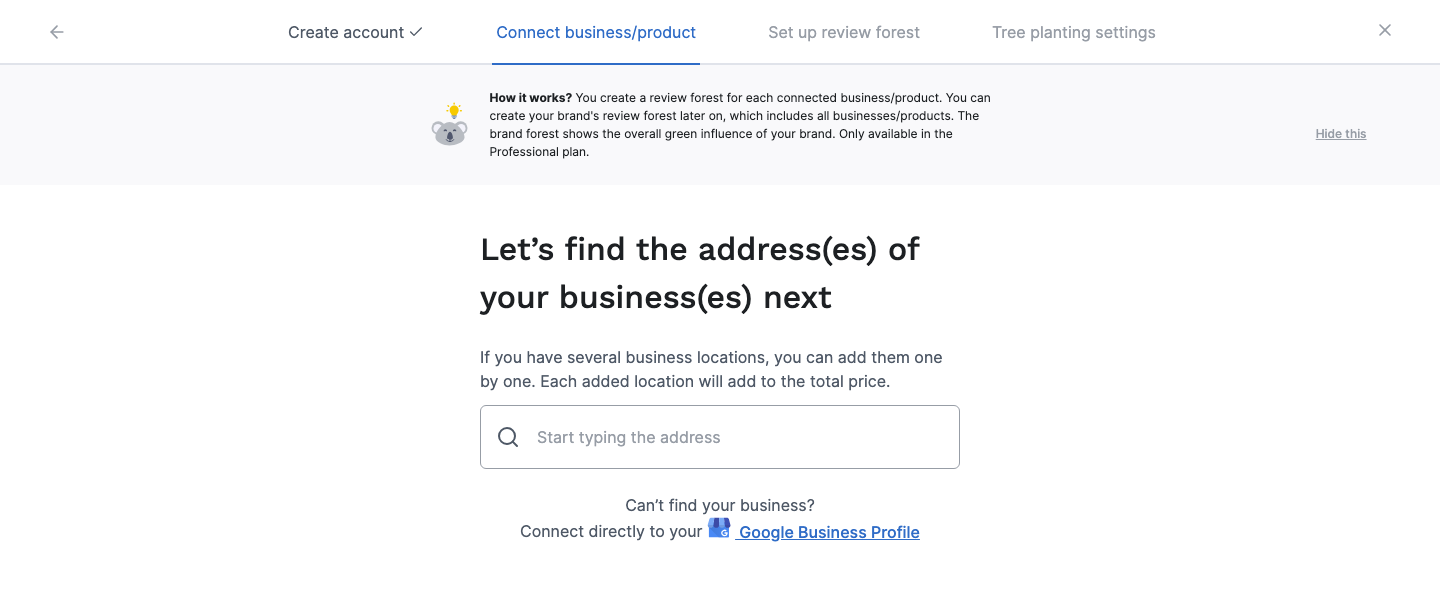
When you choose Google during sign-up, or later for a new review forest, there are two ways to connect your business:
- Search: type your business name or address and pick your business from the suggestions. You don’t need to sign in to Google for this.
- Google Business Profile: sign in with the Google account that manages your business profile and select your locations.
If your business doesn’t show up in the search, use the second way. Both have nothing to do with how you log in: whether you signed up with Sign up with Google or with your email address makes no difference here.
Connect your Google Business Profile
Section titled “Connect your Google Business Profile”-
Below the search field, click Google Business Profile next to “Can’t find your business?”.
-
Read what the connection is for and click Continue. Google opens a window: sign in with the Google account that manages your business profile and allow access.
-
Select the locations you want to connect, or click Select all, then click Continue. Each location gets its own review forest and adds to the price.
-
Your locations now appear under Locations to be added. Click Connect.
You can only select locations that are verified and published on Google and not yet connected to ReviewForest. Others show as Unverified or Connected. If no locations show up, click Try another account and sign in with the Google account that manages your profile.
What the Google permission covers
Section titled “What the Google permission covers”Google’s window asks to let ReviewForest see, edit, create and delete your business listings. That’s the standard Google permission for Business Profile tools, and we can’t make it narrower. We use it to read your reviews and to publish replies that you write in ReviewForest. We don’t change your business profile.
Add more Google locations later
Section titled “Add more Google locations later”For another location, go to Review forests and click New review forest. Already connected a location through the search and now want the Business Profile connection, for example to reply to reviews from ReviewForest? See Request a switch.