
How to change the Google Business Profile linked to your review forest
Your review forest is linked to one Google Business Profile. Its reviews plant your trees, and the review button on your forest page leads there. Sometimes that profile has to be swapped for another one.
When you need a different profile
Section titled “When you need a different profile”- Your old profile was deleted.
- Two profiles were merged, and the one linked to your forest no longer exists.
When you don’t
Section titled “When you don’t”If only your business name, address or opening hours change, edit your existing profile on Google. Your reviews stay on that profile and your review forest stays linked to it. Always try this first.
How to switch to the new profile
Section titled “How to switch to the new profile”You can’t swap the profile yourself. Our support team does it for you.
-
Write to us via the chat in the app or by email to mail@reviewforest.org.
-
Send us the address of your review forest, for example
reviewforest.org/your-business. -
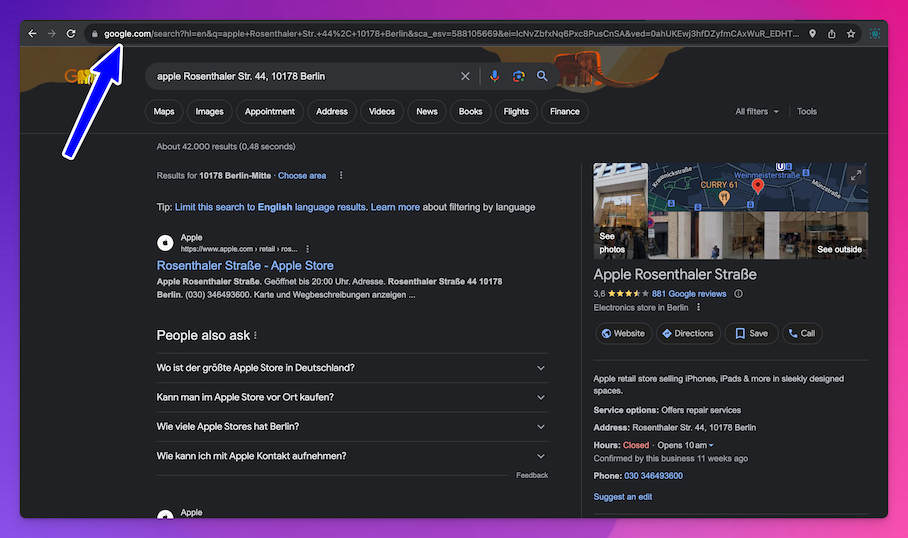
Send us the link to your new Google profile. To get it, search Google for your business name and address and copy the address from your browser’s address bar.
After the switch
Section titled “After the switch”- Trees: the trees already in your forest stay. New reviews on the new profile plant trees.
- Review button: the button on your forest page leads to the new profile. Click it once to check. If your forest page offers several platforms, choose Google. If you ever set your own Google review link, check that one too: How to change your Google review link.