
How to change your billing address and company name
The name, address and VAT ID on your invoices come from your billing details. You change them yourself, and the next invoice already shows the new details.
How to change your billing details
Section titled “How to change your billing details”-
Log in and open Billing & plan. It’s under More in the menu on the left.
-
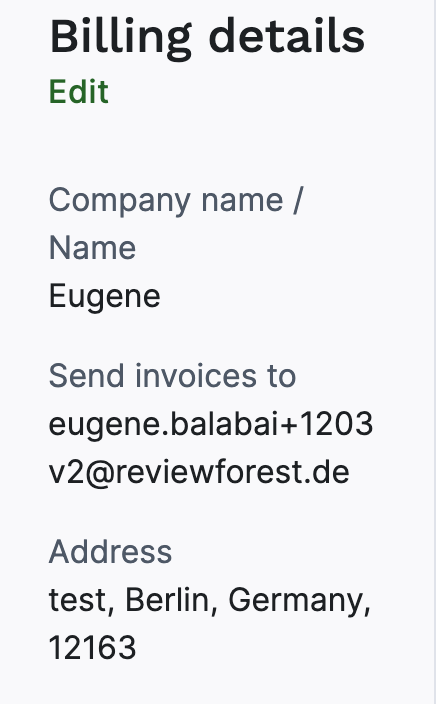
Under Billing details, click Edit.
-
In the Edit billing information window, change what you need:
- Company name / Name: the name on your invoices. Most businesses enter their company name; you can add your own name too.
- Email address to send invoices to: where we email your invoices, see How to change the billing email address.
- Street address, Postal code, City and Country.
- VAT ID: only shows if your business is in an EU country other than Germany.
-
Click Save changes.
VAT ID and VAT on your invoices
Section titled “VAT ID and VAT on your invoices”- Business in Germany: your invoices include 19% VAT. There’s no VAT ID field for German addresses.
- Business in another EU country: enter your VAT ID. The country code already shows in front of the field, so you type in the rest. With a VAT ID, your invoices don’t include VAT (reverse charge). Without one, they include 19% German VAT.
- Business outside the EU: your invoices don’t include VAT. If one shows German VAT anyway, open Billing details, check that the right country is selected and click Save changes. Your next invoices then go out without VAT.
Did you enter your VAT ID when you activated your subscription, but your invoice still shows German VAT? Open Billing details, enter your VAT ID and click Save changes. Your next invoices then go out without VAT. For invoices you’ve already received, write to us.
Invoices you’ve already received
Section titled “Invoices you’ve already received”Your changes apply to invoices issued after you save. Invoices you’ve already received keep the old details. If you need one corrected, for example after your company changed its name, write to us in the chat or at mail@reviewforest.org with the invoice number. You then get a credit note for the original and a corrected invoice, and you don’t pay anything twice.
Name of your review forest
Section titled “Name of your review forest”The company name on your invoices and the name on your review forest are two different things. To change the name your customers see on your forest page, see How to change the name of your review forest.
Changing your bank account at the same time? Change the company name first: it appears as the account holder on the new direct debit mandate, see How to change your bank account or payment method.