
How to plant trees for previous reviews
When you connect a platform to your review forest, only reviews written from then on plant a tree. You can also plant trees for the reviews you already had, as a thank-you to your earlier customers.
Step by step
Section titled “Step by step”-
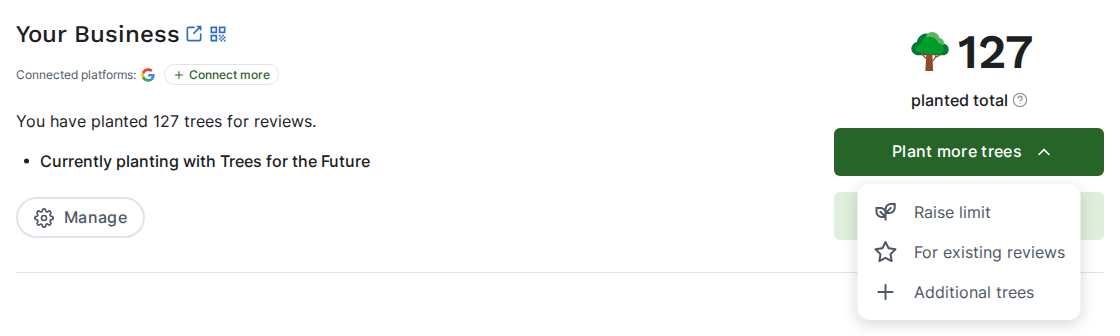
Go to Review forests. On the review forest you want, click Plant more trees and then For existing reviews.
-
Select the platforms whose older reviews should get a tree. Next to each platform, you can see how many of its reviews don’t have a tree yet.
-
Check the price. The window shows the price per review and the total.
-
Click Confirm & pay.

Good to know
Section titled “Good to know”- Cost: the trees are charged with your next invoice, at the price per tree of your current plan.
- You can’t undo it. Once you’ve chosen a platform here, all earlier reviews ReviewForest has imported from it get a tree.
- Your planting limit applies. If you’ve set a tree planting limit, planting stops when it’s reached.
- Just created the review forest? Review texts and tree names can take about an hour to show up in it.
Don’t see the option?
Section titled “Don’t see the option?”For existing reviews only shows up when all of this is true:
- the review forest is active
- it already has reviews
- at least one connected platform, other than ReviewForest Direct, still plants trees only for new reviews
Before you’ve activated your subscription, you’ll be asked to activate it first when you confirm.