
Automate your review requests with the ReviewForest API
With the ReviewForest API, your own system can send review invitations by email or SMS, for example as soon as an order is delivered or a job is done. Your CRM, shop system or booking tool sends a request to ReviewForest, and ReviewForest sends the same invitation you can also send from the dashboard.
What you need
Section titled “What you need”- An active ReviewForest subscription
- An API key with Full access (step 1)
- The ID of your review forest (step 2)
- A system that can send HTTP requests, or a developer who sets it up for you
1. Create an API key
Section titled “1. Create an API key”-
In the app, open Integrations under More in the menu on the left.
-
On the ReviewForest public API card, click View API key.
-
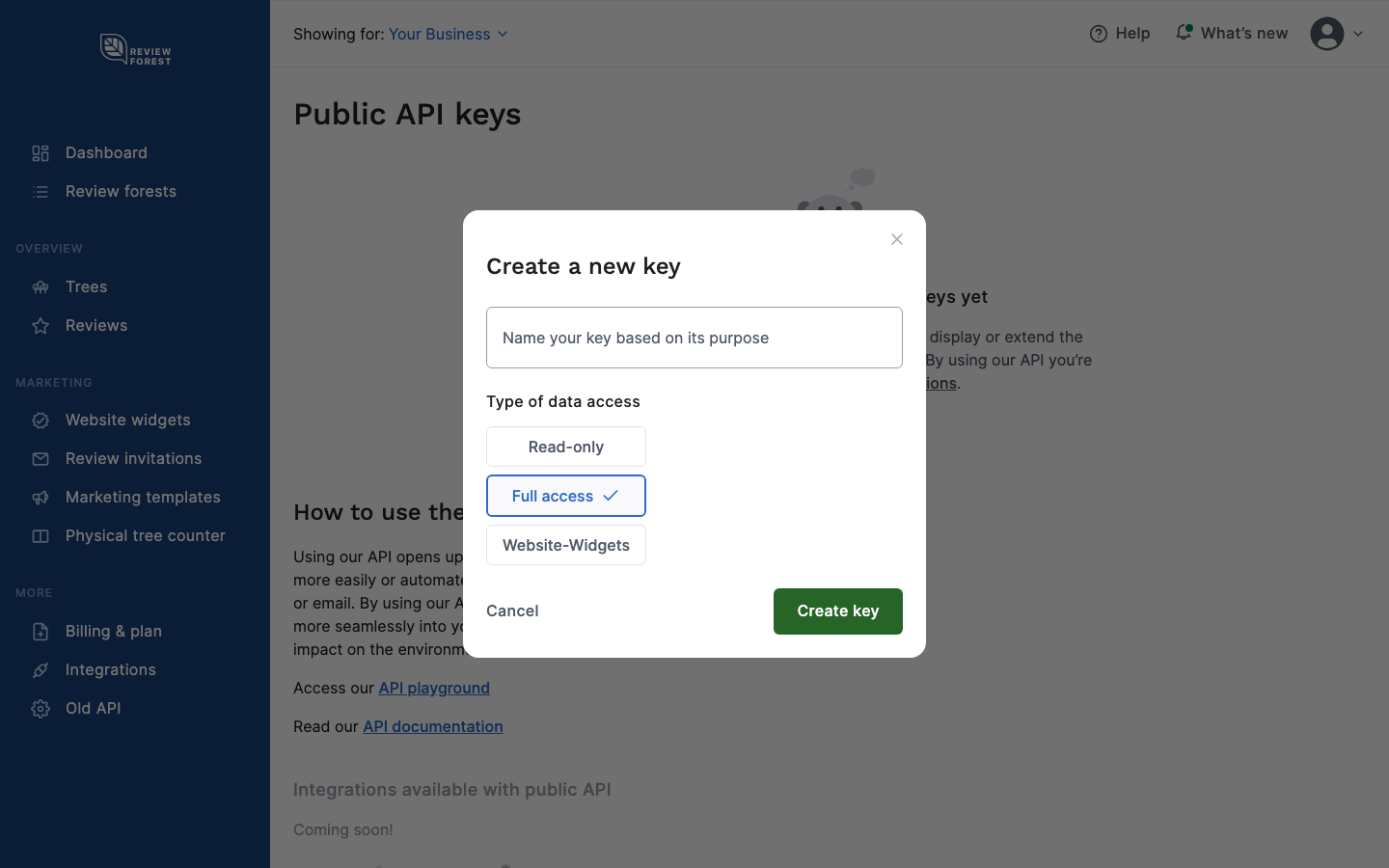
Click Create new key and give the key a name, for example the name of your CRM.
-
Under Type of data access, choose Full access and click Create key.
-
Copy the key from the table.
Keep the key secret, like a password. Anyone who has it can send invitations in your name and read your account’s data. So use it only on your server or in your CRM, never in the code of your website. You can delete a key in the same table at any time.
2. Find the ID of your review forest
Section titled “2. Find the ID of your review forest”Every request names the review forest it’s for. You can find the ID in two ways.
In the app: select the review forest at the top, then open Old API under More in the menu on the left. The ID is next to Location, for a brand forest next to Brand ID. The Id field on that page is something else.
Through the API: a GET request to https://api.reviewforest.org/v1/forests lists your review forests. Each one has its ID in the id field. The list shows 10 forests per page. With ?pageSize=100 it shows up to 100.
3. Send an email invitation
Section titled “3. Send an email invitation”Send a POST request to https://api.reviewforest.org/v1/invitations/email. Your API key goes in the apikey header:
curl -X POST https://api.reviewforest.org/v1/invitations/email \ -H "apikey: YOUR_API_KEY" \ -H "Content-Type: application/json" \ -d '{ "forestId": "YOUR_FOREST_ID", "recipients": [ { "email": "customer@example.com", "name": "Alex Smith" } ], "subject": "How did you like Your Business?", "language": "en", "templateType": "friendly" }'| Field | Required | Meaning |
|---|---|---|
forestId |
yes | The ID from step 2 |
recipients |
yes | List of recipients, each with email and optionally name |
subject |
no | Subject line. Without it the subject is just “Email Invitation” (“E-Mail-Einladung” with "language": "de"), so set your own. |
language |
no | en or de, default en |
templateType |
no | formal or friendly, default formal |
sendAt |
no | When to send, see below |
The email uses the logo you saved in the app under Personalization.
Schedule the email
Section titled “Schedule the email”Without sendAt, the email goes out right away. With sendAt you schedule it, as a date and time in ISO 8601 format, for example "sendAt": "2026-11-20T09:00:00Z". The time has to be at least 5 minutes and at most 71 hours and 55 minutes away. For a later date, let your system send the request later, for example a week after delivery.
4. Send an SMS invitation
Section titled “4. Send an SMS invitation”SMS go to https://api.reviewforest.org/v1/invitations/sms:
{ "forestId": "YOUR_FOREST_ID", "recipients": [ { "number": "+447700900123", "name": "Alex Smith" } ], "companyName": "Your Business", "language": "en", "templateType": "friendly"}- Number: international format with country code, for example
+447700900123or00447700900123. A number without country code, like07700900123, is rejected. - Company name: appears in the text of the SMS. Without
companyName, the name from your billing details is used. - Sender: with
senderyou can set the name the SMS comes from, up to 11 characters. Some countries don’t allow a custom sender, including Belgium, Canada, Hungary and the USA. - No scheduling: SMS go out right away.
Each review forest includes a number of free SMS per billing month: 10 on Standard, 50 on Premium, 100 on Professional. Every SMS beyond that costs 0.15 € (US$0.15 if you pay in dollars) and is billed monthly.
Repeat invitations and unsubscribes
Section titled “Repeat invitations and unsubscribes”The API follows the same rules as the dashboard:
- Listed twice: if the same address or number appears twice in one request, it gets one invitation.
- Invited recently: recipients who got an invitation from this review forest within a set period are skipped. You set the period in the app under Sending rules, in the Repeat invitations section: 90, 180 or 365 days, or off. The default is 365 days.
- Unsubscribed: people who unsubscribed through the link in an invitation email get no more invitation emails from this review forest.
You can loosen the rule for recently invited recipients per request: "skipRecentlyInvited": false skips nobody for having been invited recently, "cooldownDays": 90 uses a different period, and "force": true on a single recipient sends to that person even if they were invited recently. People who unsubscribed are always skipped.
Skipped recipients don’t appear in the response. To see who was skipped and why, add ?includeSkipped=true to the address. The response then contains invitations and skipped. Each skipped entry has the position in your list (index, counting from 0) and the reason: duplicate_in_request, recently_invited or unsubscribed. If no email was sent at all because everyone had unsubscribed, you get error 409 with just the number of skipped recipients instead.
Responses and errors
Section titled “Responses and errors”| Code | Meaning |
|---|---|
| 200 | Done. The response lists the invitations that were created. |
| 400 | Something in the request is wrong, for example a missing field, an invalid email address or number, or a sendAt outside the allowed window. The message field says what. |
| 401 | The API key is missing or wrong. |
| 403 | The key doesn’t allow this, usually because it’s Read-only. |
| 404 | The forest ID doesn’t exist or belongs to another account. For SMS it can also mean there’s no active subscription. |
| 409 | No email was sent because all recipients have unsubscribed. |
To check the status of your invitations, send a GET request to the same addresses with ?forestId=YOUR_FOREST_ID. Statuses of email and SMS invitations explains what each status means.
API documentation
Section titled “API documentation”All endpoints and fields are in the API documentation. In the API playground you can try requests with your key. Both are also linked on the page of your API keys in the app.
When to ask
Section titled “When to ask”Ask when the experience is still fresh, but complete: a few hours after an appointment, a few days after a delivery, once a job is finished. Most systems can trigger the request on such an event or with a delay.