
How to change the link (URL) of your review forest
Every review forest has its own address, for example https://reviewforest.org/your-business. You share it with your customers so they can find your review forest and leave a review. The part after reviewforest.org/ is often called the slug, and you can change it.
Rules for the new address
Section titled “Rules for the new address”- 4 to 18 characters
- letters, numbers and hyphens only, no spaces, umlauts or special characters
- it has to end with a letter or a number
- capital letters are saved as lowercase
- it can’t already be used by another review forest
- a few words are reserved, for example
apiorblog
Keep it short and easy to remember, ideally your business name or an abbreviation of it. That matters most when customers type the address on their phone.
Change the address
Section titled “Change the address”-
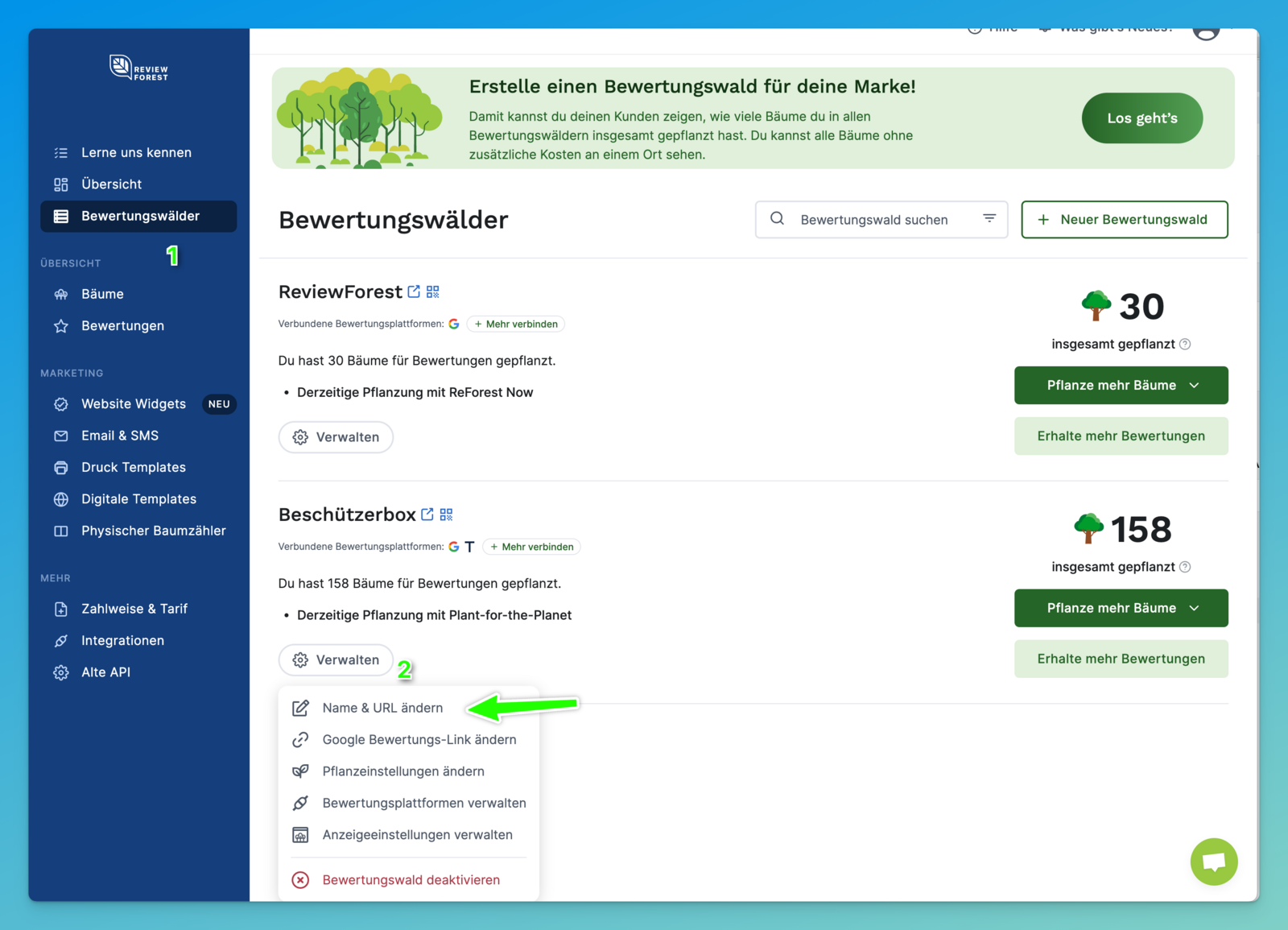
Go to Review forests.
-
On the review forest, click Manage and then Change name & URL.
-
In the Forest URL field, change the part after
https://reviewforest.org/.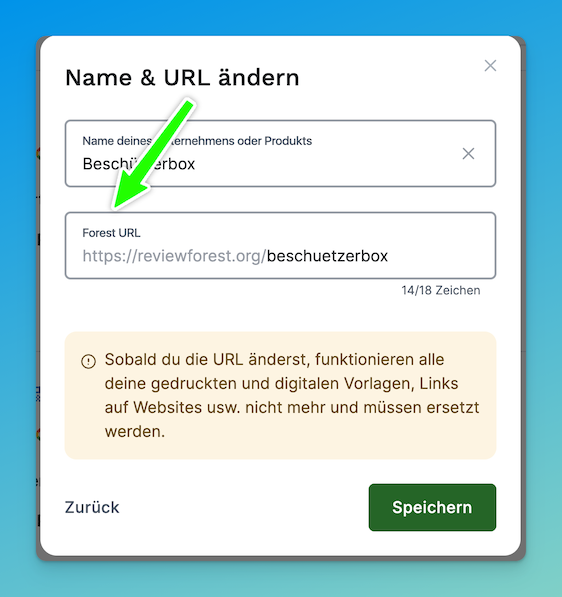
-
Click Continue.
-
A window lists what changes with the new address. Confirm the points and click Change the URL.
What to update afterwards
Section titled “What to update afterwards”- Printed materials such as business cards or flyers with the old address or QR code need to be reprinted.
- Digital templates you’re already using need to be replaced, and your ReviewForest email signature needs updating.
- QR codes that point to your review forest need to be created again.
- Links you added by hand, for example on your website or on social media, need to be changed. ReviewForest widgets pick up the new address automatically.